A signature your whole organization can be proud of.
Build a clean, on-brand email signature in two minutes and install it in Gmail, Outlook, or Apple Mail. Pay once. Or give your entire staff one keyword and standardize every inbox.
$4.99 for one signature. No subscription, no account to create.
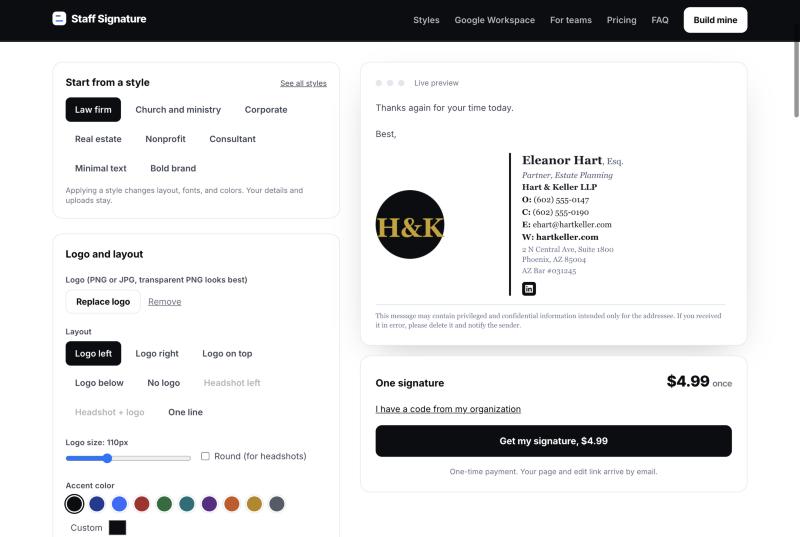
Thank you for your time today. The engagement letter is attached for your review.
Best regards,
 | Eleanor Hart, Esq. Partner, Estate Planning Hart & Keller LLP AZ Bar #031245 | |
This message may contain privileged and confidential information intended only for the addressee. | ||
How it works
- 1. Enter your details. Pick a style, add your logo or photo, and type your name, title, and contact lines. The signature builds as you type.
- 2. Copy it. One button copies a signature that renders correctly in every major mail client. We show the exact paste steps for yours.
- 3. Keep it. Your signature lives on a permanent page. Update a title or number any time, free.
For organizations
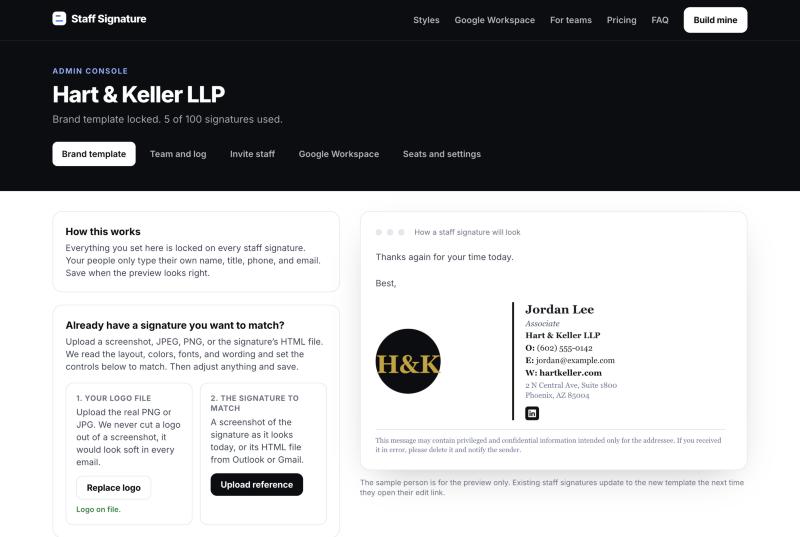
Buy a block of signatures and choose a keyword. In your Admin Console you set the brand once: logo, colors, layout, links, legal line. Staff enter the keyword, add their own name and title, and install. The brand stays locked on every one.
You see who has installed, invite the rest with automatic reminders, export the log, and add seats whenever you grow. One payment, no per-seat renewal.
On Google Workspace? Your admin authorizes us once and we install every signature centrally, with no staff action. Included with every team keyword. How that works.
Get a team keywordPricing
One payment. No renewals. Blocks stack on the same keyword if you need a number in between.
Every team block includes the Admin Console, the locked brand template, staff invites with reminders, the usage log, click tracking, and Google Workspace central install. Blocks of 250 or more also include a template built for you from your brand guide within one business day. Five hundred people or more? Write to us and we will set it up with you.
Questions
Does it work in my mail app?+
Gmail, Outlook (new, classic, and web), and Apple Mail. Phone apps only accept plain text, so we give you a text version with the steps for each app.
Is this a subscription?+
No. You pay once. Your signature page, logo, and icons stay hosted. Change your title or phone number any time at no charge.
How does the team keyword work?+
At checkout you choose a keyword. After payment you land in your Admin Console, set the brand once, and send your staff the keyword. Each person enters it, adds their name and title, and installs. One signature per email address, every use logged.
Can staff change the branding?+
No. They enter their own name, title, phone, and photo. The organization sets the logo, colors, layout, and links once, and that stays the same on every signature. You decide which optional lines they may add.
We use Google Workspace. Can you install it for everyone?+
Yes, and it is included. Your Google admin authorizes us once, and we set each person's Gmail signature from your directory. No staff action.
Can I get a refund?+
If it does not install in your mail app and we cannot fix it with you, we refund the purchase. Team blocks are refundable in full within 30 days if fewer than 10% of seats are used.