For brokers and office managers
Every agent in your office, on one signature, by Friday.
Your agents send hundreds of emails a week, and each one either looks like your brokerage or it doesn't. Staff Signature gives every agent a matching signature with their photo, their license number, and your logo. You set the brand once; they add their own name in two minutes.
Here are the three listings we talked about. Let me know which you want to see Saturday.
Thanks,
 | Dana Whitfield Realtor Larkspur & Vine Realty Mobile (512) 555-0199 Email dana@larkspurvine.com Web larkspurvine.com TX License 0712345 |  | |
| |||
| |||

What your agents send today. What they could send by Friday.
On the left, the signatures agents build on their own. On the right, three built with Staff Signature for three different brokerages. Yours is built around your brand, and every agent matches it.
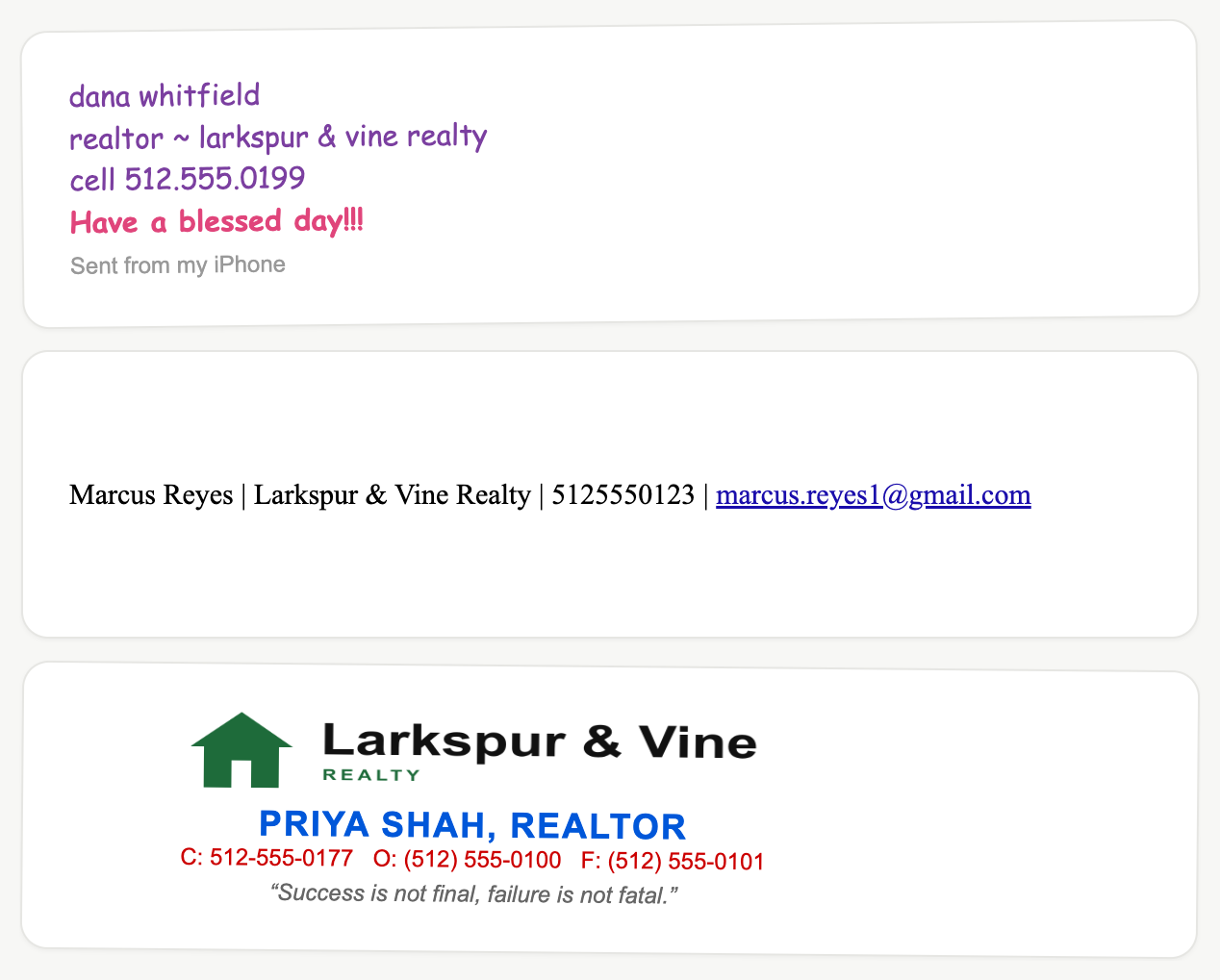
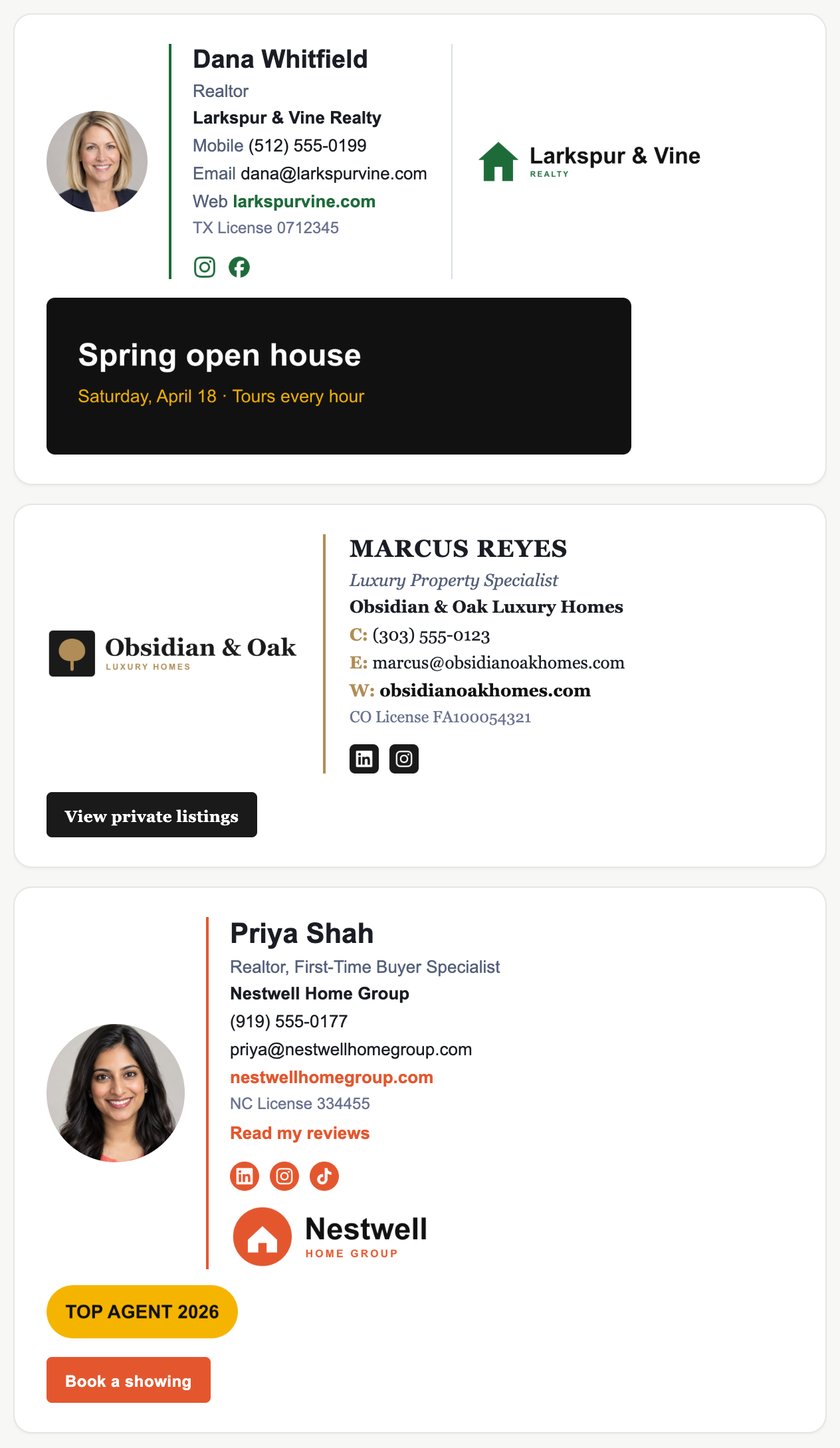
Sample signatures. All people, companies, and contact details shown are fictional.
License numbers on every email
Many states expect your license number and brokerage name on agent advertising, and email is advertising. One template puts them on every agent, every time.
Your brand, not 40 versions of it
Agents keep their headshot, name, and cell. Your logo, colors, layout, and compliance line are locked, so no one improvises.
New agents set up in two minutes
Send them your keyword on day one. They are matching before their first client email. You see who has and hasn't installed.
The math
Signature platforms charge about $1 per person per month on top of a base fee, every month, forever. A 100-person team pays roughly $1,400 a year. Staff Signature is one payment: 100 agents for $299, or 250 for the founding price of $499 while 25 of 25 founding spots remain. No renewal.
The guarantee: if fewer than 80% of the people you invite have installed within 14 days, we refund the block in full.
How it works
- 1. Pick a block and a keyword, like LARKSPUR. You land in your Admin Console.
- 2. Set the brand: logo, colors, license line, a search button. Or upload a screenshot of the signature you already like and we match it.
- 3. Paste your agents' emails. They get an invite, add their name, photo, and cell, and install. Reminders go to anyone who hasn't.
On Google Workspace, you can skip step 3: we install every signature centrally.