For executive pastors and church administrators
Every pastor and staff member on one signature, before Sunday.
First-time guests often email your church before they ever walk in. Staff Signature gives your whole team one signature with your logo and a Plan a visit button, so every reply looks like it came from the same church.
So glad you're coming Sunday! Kids check-in opens at 8:45, and I'll meet you at the welcome desk.
Thanks,
 | Marcus Reed Lead Pastor Cedar Hollow Church
| ||
| "Let all that you do be done in love." 1 Corinthians 16:14 | |||
| |||

What your staff sends today. What it could send before Sunday.
On the left, the signatures staff build on their own. On the right, three built with Staff Signature for three different churches. Yours is built around your church, and your whole team matches it.
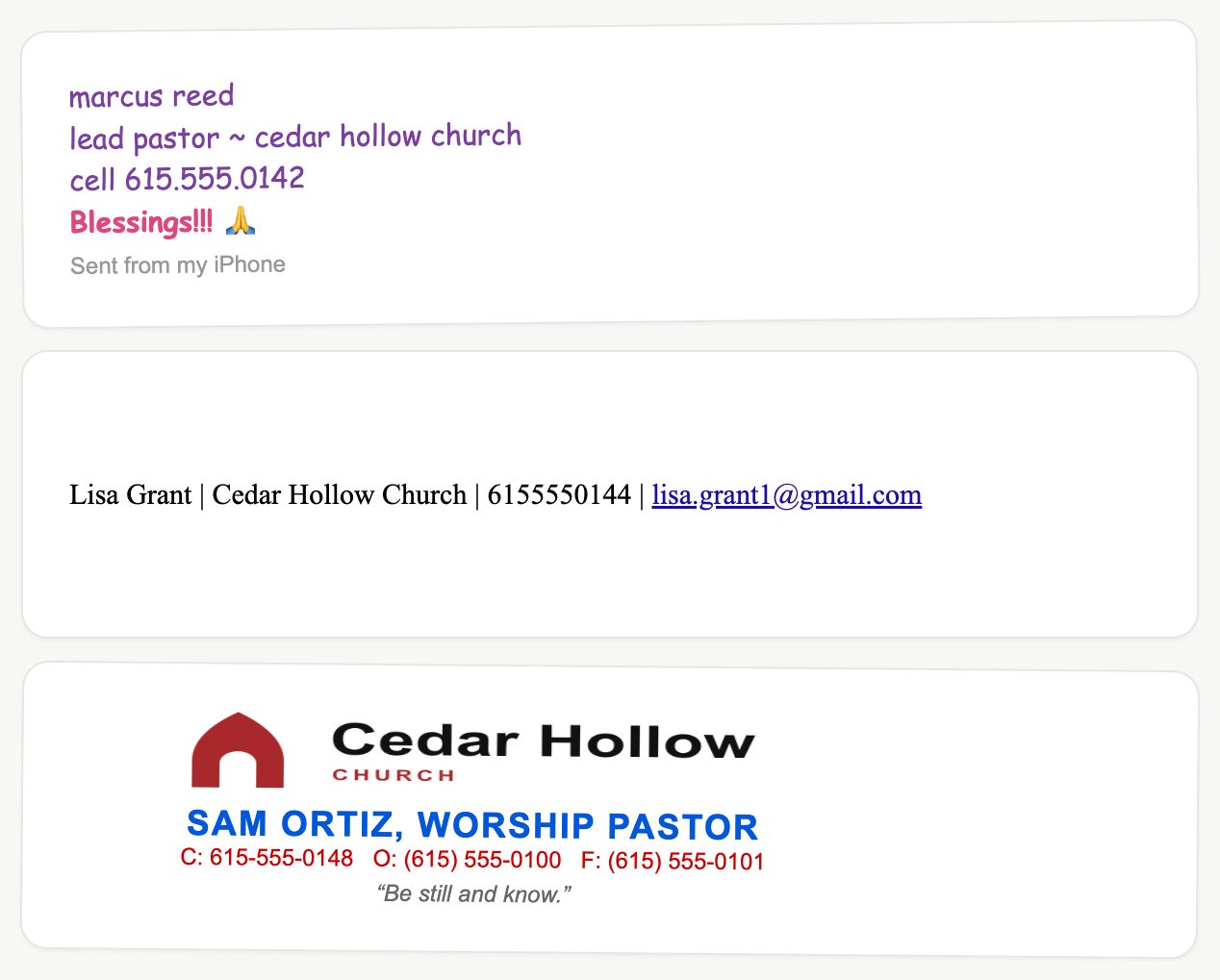
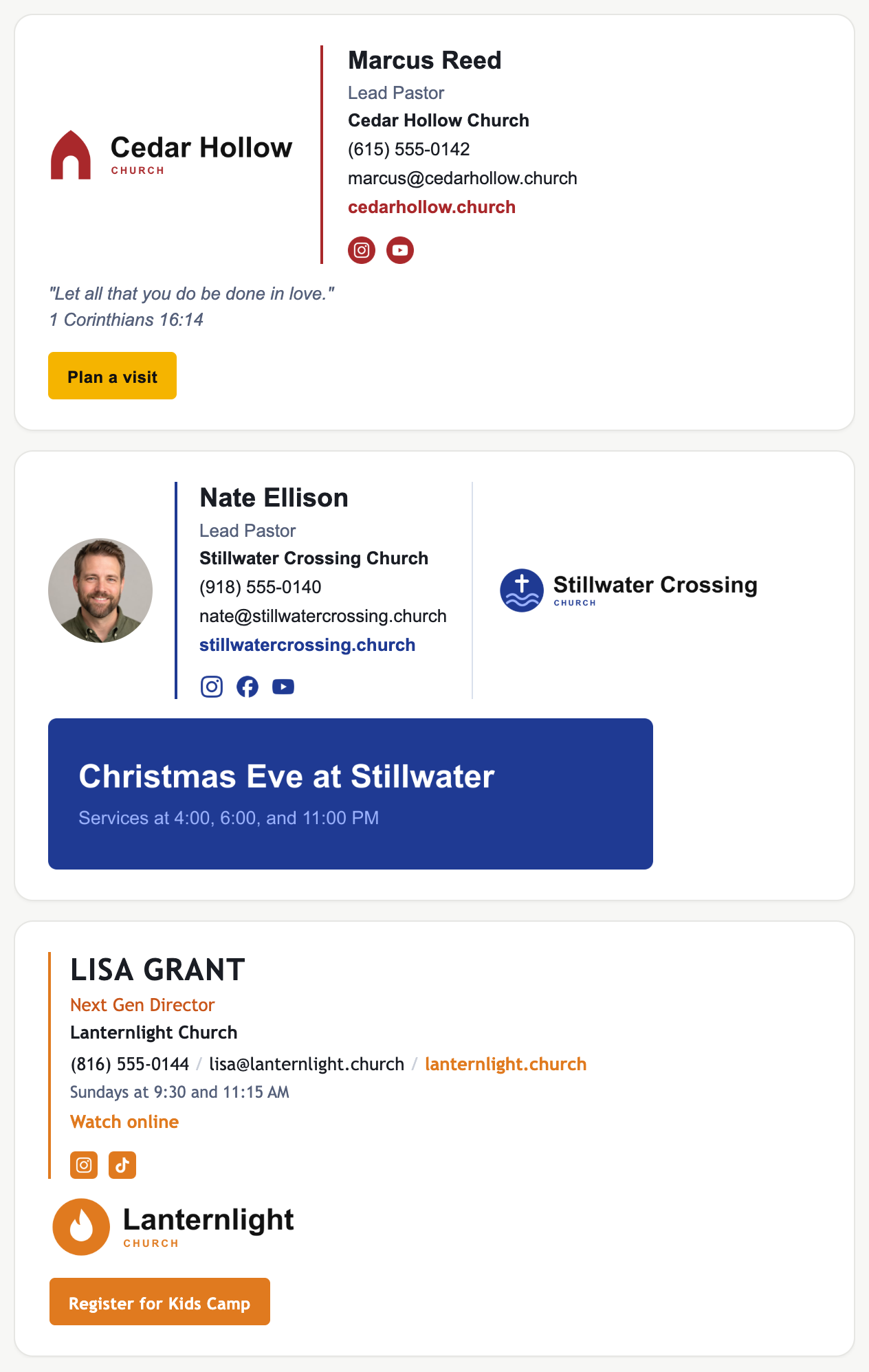
Sample signatures. All people, companies, and contact details shown are fictional.
A Plan a visit button on every email
Every staff reply invites the reader in. Click tracking shows which ministries' emails bring the most visits.
Staff and ministry leaders, same look
Pastors, children's and worship leaders, and the front office all match. You decide who gets a seat.
One price that fits a church budget
No monthly fee per person. One payment covers your staff, and you add seats only when you grow.
The math
Signature platforms charge about $1 per person per month on top of a base fee, every month, forever. A 100-person team pays roughly $1,400 a year. Staff Signature is one payment: 100 staff for $299, or 250 for the founding price of $499 while 25 of 25 founding spots remain. No renewal.
The guarantee: if fewer than 80% of the people you invite have installed within 14 days, we refund the block in full.
How it works
- 1. Pick a block and a keyword, like CEDARHOLLOW. You land in your Admin Console.
- 2. Set the brand: logo, colors, service times, and a Plan a visit button. Or upload a screenshot of the signature you already like and we match it.
- 3. Paste your staff's emails. Each person gets an invite, adds their name and title, and installs. Reminders go to anyone who hasn't.
On Google Workspace, you can skip step 3: we install every signature centrally.